Prepare apartment charges together and schedule them monthly
Set up a one-time charge for selected apartments or turn a reviewed draft into a monthly plan. The manager panel shows who will be charged and what will remain due after eligible advances.
Create a manager account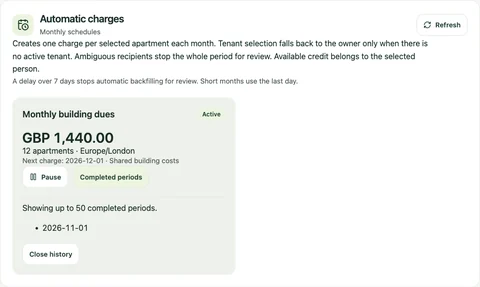
An example monthly charge plan shows its amount, next date and completed periods.
From the Yonelio app · Manager panel · Sample data.View full screenshot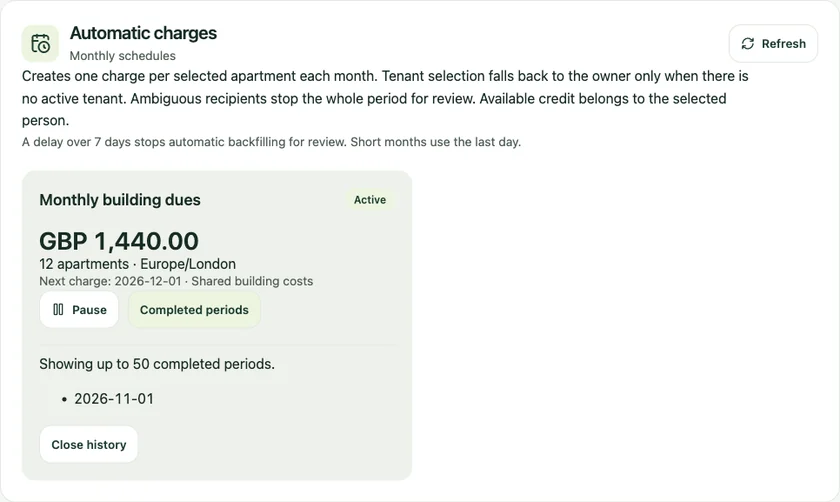
Who it’s for
For residential property managers who enter the same kind of charge across several apartments, or who need a repeatable process for monthly building dues.
How it works
Choose apartments and set the charge
Open Bulk actions in the manager panel. Select apartments, enter a description and currency, and set the amounts, preferred role and due date.
Review each recipient and balance
Run the preview and check the people, applied advances and remaining amounts. Resolve ambiguous recipients or exclude rows that should wait.
Confirm once or schedule monthly
Record the reviewed rows as a one-time charge, or save a monthly plan with a first charge date, time zone and number of days until due.
Check the plan and its history
See the next scheduled date and completed periods in Automatic Charges. Pause the plan or resume it from an eligible future date.
Monthly dues for an occupied and a vacant apartment
A manager prepares the same building charge for two apartments and selects tenants. In the preview, the occupied apartment shows its active tenant and the vacant one shows its linked owner. The manager confirms the recipient for each before saving the monthly plan.
Review the charge before it reaches each apartment
Start from a building or a selection of apartments, then enter the common details and adjust individual amounts where needed. The preview shows the responsible person for each row, including owner fallback when you selected tenants and an apartment has no active tenant. If a row has several eligible people, choose the person before you confirm.
Common questions
Does a monthly plan collect payments?
It creates charge records. Enter payments received outside Yonelio separately when they arrive.
What if a month has fewer days than the plan’s scheduled day?
The plan uses the last day of that month, then returns to its original scheduled day in months that have it.
What happens if a recipient can no longer be selected?
If the current records do not yield a valid recipient for a row, the whole period goes to review. The period is not partially posted.
Can I change the apartments or amounts in a saved plan?
Pause the existing plan and create a new one from a revised preview. Charges already recorded remain in the history.
Related features
Dues tracking
See what was charged, how much has been received and what is still open, without losing the original record.
Financial activity
Trace what changed from the original charge through a payment, an advance or a later correction.
Spreadsheet import
Bring a building roster into the manager panel using a UTF-8 CSV or single-sheet XLSX file. Review the rows before creating buildings, apartments and owner or tenant links.